I was halfway through a meticulously timed reduction for a saffron risotto last week when my phone decided to stage a full-blown protest. I tried to glance at a quick timer, but instead of a seamless swipe, I was met with that agonizing, spinning loading icon that feels like it’s stealing minutes from your life. It’s infuriating, right? We’ve all been told that the only solution is to drop a thousand dollars on the latest model, but honestly, that is such a massive waste of capital. You don’t need a new device; you just need to learn how to speed up your phone without falling for the expensive marketing traps that tech giants set for us.
I’m not here to give you a list of useless “cleaner” apps that just end up cluttering your storage and draining your battery. Instead, I’m bringing my analyst brain to the table to give you a no-nonsense blueprint for reclaiming your device’s performance. We’re going to dive into the actual settings and habits that make a difference, ensuring your tech works as hard as you do so you can get back to the things that actually matter—whether that’s managing your business or perfecting a new recipe.
Table of Contents
Clear Phone Cache to Remove Digital Clutter

Think of your phone’s cache like a kitchen counter that hasn’t been wiped down in a week. When I was working in finance, my desk would get buried under stacks of spreadsheets and coffee mugs, making it impossible to actually find my calculator. Your phone does the exact same thing. As you browse social media or stream music, your device saves little bits of data to help things load faster next time, but eventually, that “digital clutter” just starts to weigh everything down. To clear phone cache effectively, you need to dive into your app settings and sweep away those temporary files that are just taking up precious space.
It’s honestly one of the simplest ways to reduce smartphone lag without having to jump through the hoops of a full system overhaul. I’ve found that certain apps—especially the ones I use most frequently for recipe inspiration or stock tracking—tend to hoard more data than others. Taking just five minutes once a month to perform this digital deep clean feels just as refreshing as organizing my spice rack. It clears the mental (and literal) fog, allowing your device to run with the same efficiency I used to strive for in my old spreadsheets.
Manage Background Apps to Protect Your Flow
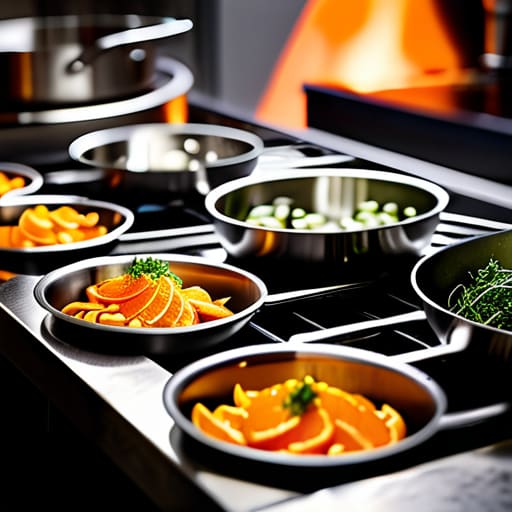
Think of your phone like a busy kitchen during a dinner rush. If every single chef is trying to prep a different dish at the same time without a clear plan, things get chaotic, and service slows down. Your device works the same way. When you have dozens of apps running silently in the shadows, they are constantly competing for your processor’s attention and draining your battery. To manage background apps effectively, you need to perform a little digital “mise en place”—getting only what you need ready and clearing out the rest.
I used to be a bit of a multitasker in my finance days, always having twenty tabs open, but I realized that constant switching actually kills productivity. The same applies to your tech. If you notice your device struggling to keep up, take a moment to swipe away those apps you haven’t touched in hours. This simple habit can significantly reduce smartphone lag and help you reclaim that seamless flow. By keeping your active processes streamlined, you’re ensuring that your phone is always ready to capture a recipe idea or a quick photo, rather than stuttering when you need it most.
5 Ways to Reclaim Your Digital Momentum
- Audit Your App Library: Just like trimming a budget to make room for what actually matters, it’s time to delete those apps you haven’t touched since last summer. If it’s not adding value to your life (or your kitchen adventures!), it’s just eating up precious storage and processing power.
- Optimize Your Home Screen: A cluttered workspace leads to a cluttered mind, and the same goes for your phone. Move your most-used tools to the main screen and tuck the rest away in folders to reduce the visual noise and the strain on your device’s interface.
- Update Your Software Regularly: Think of OS updates as the “fine-tuning” phase of a new recipe. These updates aren’t just about new emojis; they often include critical performance patches that help your phone run more efficiently and securely.
- Tame Your Notifications: Constant pings are the ultimate flow-killers. Go into your settings and silence the non-essential alerts so you can focus on the deep work (or the deep frying!) without being interrupted by every random social media update.
- Restart Your Device Weekly: It sounds simple, but a quick reboot is like a mental reset after a long week in the city. It clears out temporary glitches and refreshes the system, giving your phone a little extra breath of fresh air to keep things running smoothly.
Reclaiming Your Digital Flow

Treat your phone’s storage like a well-organized pantry; clearing out the digital clutter of a bloated cache prevents the “system lag” that interrupts your focus.
Protect your mental bandwidth by managing background apps, ensuring your device works for you rather than draining your energy (and battery) in the background.
View tech maintenance as an investment in your time, allowing you to spend less time troubleshooting lag and more time pursuing the passions that actually fulfill you.
Optimizing Your Digital Workspace
“Just like a cluttered kitchen slows down my ability to whip up a new fusion recipe, a cluttered phone drains the energy you need to actually live your life. Efficiency isn’t just about speed; it’s about clearing out the digital noise so you can focus on what truly nourishes your soul.”
Rachel Anderson
Reclaiming Your Digital Flow
At the end of the day, speeding up your phone isn’t just about technical maintenance; it’s about removing the friction between you and your life. By clearing out that accumulated digital clutter in your cache and being more intentional about which background apps are allowed to drain your resources, you’ve essentially performed a digital deep clean. Much like organizing a chaotic kitchen pantry so you can actually find the saffron when you need it, managing your device’s performance ensures that your technology serves you, rather than becoming a source of constant, low-level frustration. Taking these small, proactive steps means you won’t be stuck staring at a spinning loading icon right when you’re trying to capture a perfect recipe photo or check a quick market update.
As someone who transitioned from the rigid world of financial spreadsheets to the beautiful unpredictability of culinary entrepreneurship, I’ve learned that efficiency is the foundation of freedom. We optimize our tools so that we have more time for the things that actually set our souls on fire. Don’t let a sluggish device steal your focus or your joy. Treat your digital space with the same care you give your career and your kitchen, and you’ll find you have much more room to pursue the passions that truly matter. Now, go enjoy that newfound speed—and maybe treat yourself to something delicious!
Frequently Asked Questions
Will clearing my cache or managing background apps actually help my battery life, or is it just about speed?
That’s such a great question! Think of it like prepping a kitchen: clearing the clutter makes things run smoother, but it also saves energy. While clearing your cache is mostly about speed, managing those hungry background apps is a total game-changer for your battery. When apps are constantly working behind the scenes, they’re draining your power just like a stove left on high. Tighten up those processes, and you’ll definitely see your battery life stretch further.
Is it safe to delete all my app data, or am I going to lose important files and login info in the process?
I totally get the hesitation—it feels a bit like clearing out your pantry without checking if you’re tossing the expensive saffron! Here’s the deal: deleting app data is generally safe for your phone’s health, but it will log you out of everything and reset your settings. Think of it as a “factory reset” for that specific app. Just make sure you know your passwords and have your important files backed up to the cloud first!
At what point does a sluggish phone mean it's time to stop troubleshooting and just invest in a new model?
Look, I get it—as someone who used to live by spreadsheets, I hate “wasteful” spending. But there’s a tipping point where troubleshooting becomes a sunk cost. If your phone is lagging despite a factory reset, or if the battery dies before you’ve even finished your morning espresso, it’s time. Don’t let a glitchy device drain your productivity or your sanity. Sometimes, investing in a new model is actually the smartest financial move for your workflow.