There I was, mid-way through a crucial Zoom call to discuss my new catering budget, when the dreaded spinning loading icon appeared. I was trying to pull up a spreadsheet while simultaneously streaming a tutorial on how to master sourdough hydration, and my connection just died. It is incredibly frustrating when you’re trying to build a dream, but you’re constantly interrupted by the digital equivalent of a flickering lightbulb. I used to think the only solution was to drop a fortune on a high-end mesh system that promised the moon, but I’ve learned that figuring out how to fix slow wifi doesn’t always require a massive capital investment or a degree in computer science.
I’m not here to sell you on expensive gadgets or technical jargon that makes your head spin. Instead, I want to share the no-nonsense, practical steps I’ve used to stabilize my own home office and kitchen setup. We’re going to look at the real-world culprits—from physical obstructions to simple settings tweaks—so you can stop fighting your router and get back to what actually matters, whether that’s crushing your career goals or finally perfecting that risotto.
Table of Contents
- Run an Internet Connection Speed Test to Find Your Flow
- Master Wifi Router Placement Tips for Seamless Living
- Troubleshooting Your Connection Without Losing Your Mind (or Your Appetite)
- Quick Wins for a Smoother Digital Life
- The Connection Between Flow and Focus
- Reclaiming Your Digital Flow
- Frequently Asked Questions
Run an Internet Connection Speed Test to Find Your Flow

Before we dive into the heavy lifting of troubleshooting, we need to establish a baseline. Think of this like checking your profit and loss statement before launching a new restaurant concept—you can’t fix what you haven’t measured. I always recommend running a quick internet connection speed test to see exactly what you’re paying for versus what you’re actually receiving. There’s nothing more frustrating than paying for high-speed fiber only to realize your actual throughput is barely handling a single Zoom call.
Once you have those numbers, you can start playing detective. If the results are abysmal, it’s time to look at the physical environment. I’ve learned through plenty of late-night recipe testing that even a thick kitchen wall or a heavy appliance can wreak havoc on your signal. Before you go out and spend a fortune on a fancy wifi extender vs mesh system, try a few simple adjustments. Sometimes, just moving your hardware to a more central, open location can make a world of difference in your digital workflow.
Master Wifi Router Placement Tips for Seamless Living
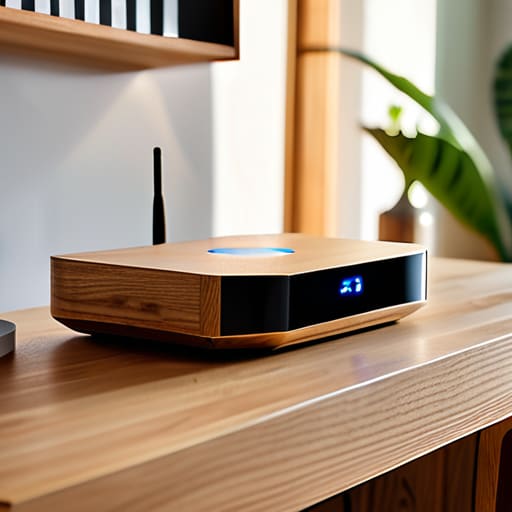
Think of your router like the head chef in a busy kitchen; if they’re tucked away in a dark, cramped pantry, the whole service falls apart. I used to keep my router shoved behind a stack of vintage cookbooks in the corner of my home office, wondering why my Zoom calls were constantly dropping. It turns out, physical barriers are the ultimate productivity killers. To truly optimize network bandwidth, you need to treat your router like a centerpiece. Move it to a central, elevated location in your home—ideally away from thick concrete walls or heavy metal appliances—to ensure the signal breathes freely through every room.
Beyond just location, you also have to consider the “noise” in your environment. Kitchen appliances, especially microwaves, can actually reduce wireless interference if you’re trying to stream a recipe tutorial while prepping dinner. If you’ve moved the hardware and still feel like you’re fighting for a signal in the bedroom, it might be time to weigh the pros and cons of a wifi extender vs mesh system. A mesh system is often the better long-term investment for a seamless, whole-home experience that keeps your digital life as smooth as a well-emulsified hollandaise.
Troubleshooting Your Connection Without Losing Your Mind (or Your Appetite)
- Kick those bandwidth hogs to the curb. Just like a cluttered kitchen slows down your prep time, having too many devices—smart TVs, old tablets, and gaming consoles—clogging your network at once can tank your speeds. Check your connected devices and see if anything is running a massive update in the background.
- Switch up your frequency to find your rhythm. Most modern routers offer both 2.4GHz and 5GHz bands. Think of 2.4GHz like a slow-simmering stew—it reaches further through walls but isn’t very fast. If you’re sitting right next to the router, jump on the 5GHz band for that high-speed, instant-gratification connection.
- Update your router’s firmware to keep things fresh. We often forget to “refresh” our tech, but running outdated software is like trying to cook a gourmet meal with a dull knife. Log into your router’s admin settings and check for updates to ensure your hardware is performing at its peak efficiency.
- Minimize the “noise” from other electronics. Your kitchen is full of interference—microwaves, cordless phones, and even some baby monitors can mess with your signal. If your WiFi drops every time you pop popcorn, try moving your router away from these electronic heavyweights.
- Consider a Mesh System if your space is too big for one signal. If you’re trying to work in a home office at the back of the house while the router is in the living room, a single signal just won’t cut it. Investing in a mesh network is like adding extra burners to your stove; it ensures you have power and connectivity exactly where you need it.
Quick Wins for a Smoother Digital Life
Don’t let technical hiccups stall your momentum; use speed tests to diagnose the problem before you start making big, expensive changes.
Think of your router like a centerpiece in a well-designed kitchen—place it centrally and out in the open to ensure the “flavor” of your connection reaches every room.
Small adjustments to your hardware placement can save you more time (and sanity) than a total service overhaul, keeping you focused on your passions rather than your loading bar.
The Connection Between Flow and Focus
“Just like a poorly balanced budget or a recipe missing its key spice, a lagging connection disrupts your rhythm; fixing your WiFi isn’t just about tech, it’s about reclaiming the mental space you need to actually thrive in your work and your passions.”
Rachel Anderson
Reclaiming Your Digital Flow

At the end of the day, fixing slow WiFi isn’t just about technical troubleshooting; it’s about removing the friction that stands between you and your most important tasks. By running those regular speed tests to monitor your baseline and being intentional about where you place your router, you’ve already taken the biggest steps toward a more stable connection. Whether you’re analyzing market trends or finally testing out that fusion recipe I shared last week, you shouldn’t have to battle a spinning loading icon. Remember, small adjustments to your hardware and environment can lead to a massive boost in productivity and peace of mind.
Transitioning from the rigid world of finance to the unpredictable life of an entrepreneur taught me one thing: you have to manage your resources wisely so you can focus on what truly brings you joy. Think of your internet connection as one of those essential resources. When you stop fighting with your tech, you free up the mental bandwidth needed to chase your own big, delicious dreams. Don’t let a laggy connection keep you stuck in the slow lane. Fix the connection, clear the digital clutter, and get back to building the life you love.
Frequently Asked Questions
Is it actually worth investing in a mesh WiFi system, or should I just stick with a single high-end router?
Think of it like this: a single high-end router is like a Michelin-star chef working in a tiny, perfect kitchen. It’s amazing, but if you try to serve a banquet in a massive ballroom, the service just won’t reach the guests. If you’re living in a sprawling space or have thick walls, invest in a mesh system. It spreads the “flavor” of your connection evenly, ensuring no corner of your home feels left out.
Could my kitchen appliances, like the microwave, actually be the reason my connection keeps dropping while I'm cooking?
Believe it or not, your microwave could absolutely be the culprit! It’s a bit like a bad fusion recipe—certain ingredients just don’t mix. Most microwaves operate on the 2.4GHz frequency, which is the same lane your Wi-Fi uses. When you’re heating up leftovers, that electromagnetic interference can act like a literal wall for your signal. If your connection drops every time you’re prepping a quick snack, try switching to a 5GHz band!
How can I tell if my internet service provider is actually delivering the speeds I'm paying for versus a hardware issue in my own home?
It’s a classic dilemma: is it the provider or the hardware? To figure this out, try a “wired test.” Plug a laptop directly into your modem using an Ethernet cable and run a speed test. If you’re getting the speeds you pay for there, your ISP is doing its job, and the culprit is likely your router or signal interference. If it’s still slow while wired, it’s time to call your provider and hold them accountable.